
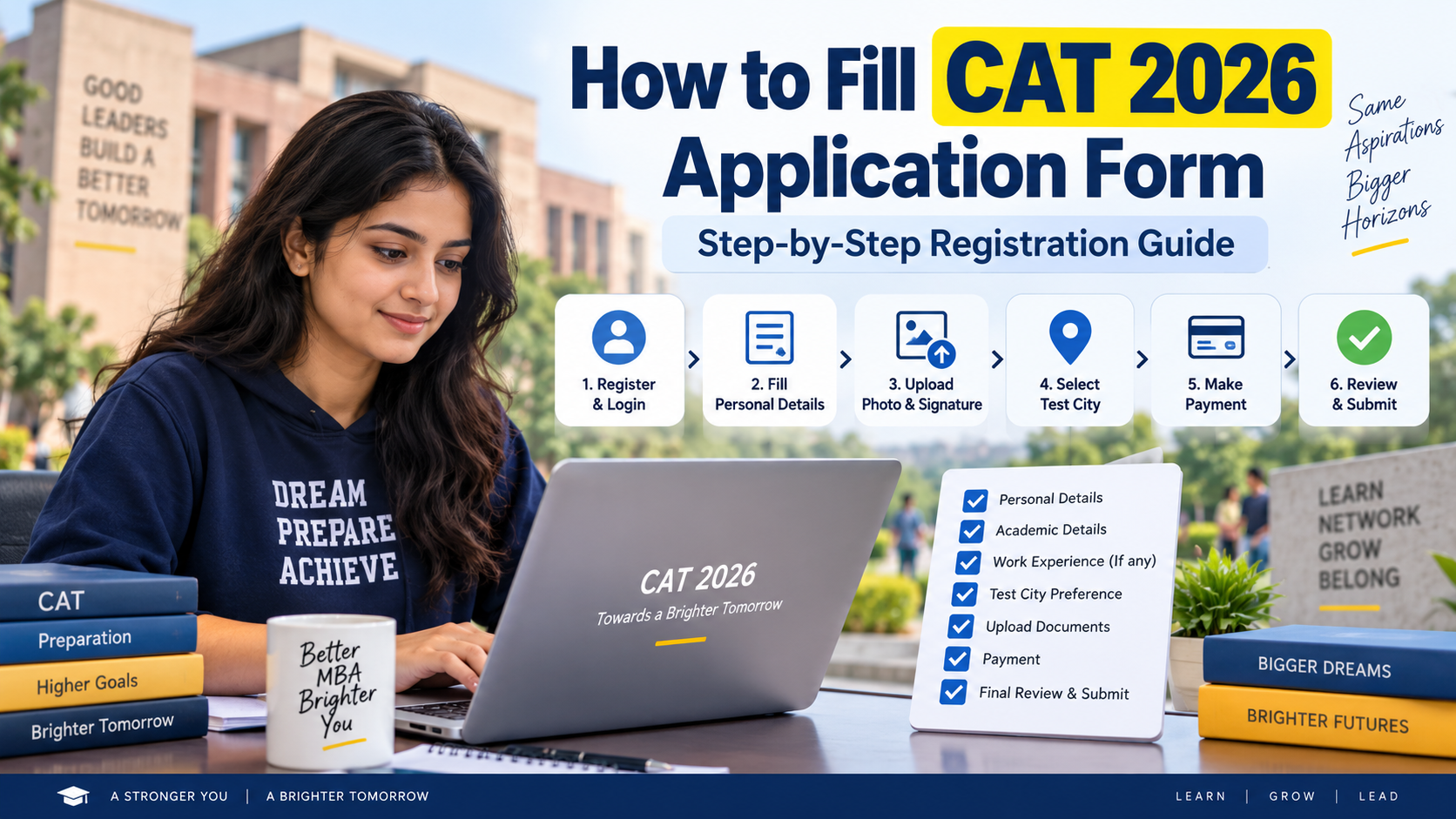
CAT 2026 registration is open at iimcat.ac.in until September 15, 2026, at 5 PM. Candidates must create a CAT login, fill personal and academic details, upload documents, select IIM programmes and five test cities, pay the application fee and submit the form.
CAT 2026 registration is currently open. The official application window started on August 3, 2026, at 10 AM and closes on September 15, 2026, at 5 PM. CAT 2026 will be held on November 29, 2026.
Candidates can fill the CAT 2026 application form online only through the official CAT website.
The CAT form has six main sections: Personal Details, Academics, Work Experience, Programmes, Test City and Declaration/Payment. Candidates can save the form and return later before final submission. Once payment is completed and the application is submitted, the current CAT 2026 Registration Guide states that the submitted form becomes read-only. Official CAT 2026 Registration Guide
CAT 2026 Application Form: Important Dates
| Event | Date |
|---|---|
| Registration start date | August 3, 2026, 10 AM |
| Last date to fill CAT form | September 15, 2026, 5 PM |
| Admit card download starts | November 4, 2026 |
| CAT 2026 exam date | November 29, 2026 |
| CAT 2026 result | First week of January 2027, tentatively |
CAT 2026 will be conducted across approximately 170 test cities.
How to Fill CAT 2026 Application Form
The complete CAT 2026 form-filling process is:
- Visit the CAT 2026 official website.
- Create a new candidate account.
- Verify your mobile number/email through OTP.
- Login using the generated User ID and password.
- Open the CAT application form.
- Fill personal details.
- Upload photograph, signature and applicable category documents.
- Enter Class 10, Class 12/diploma and graduation details.
- Add applicable postgraduate/professional qualifications.
- Enter eligible full-time work experience.
- Select IIM programmes and interview cities.
- Choose five CAT test-city preferences.
- Preview the complete form.
- Accept the declaration.
- Pay the CAT 2026 application fee.
- Submit and download the completed application.
Here is the complete process in detail.
Step 1: Create CAT 2026 User ID and Password
Go to the official CAT website and select New Candidate Registration/Register.
Candidates must enter details including:
- Name
- Date of birth
- Valid email address
- Valid mobile number
Your name should match the name on your Class 10/SSC certificate.
For domestic candidates, the mobile number and email address are verified using OTP. After successful registration, the system-generated User ID and password are sent to the registered email/mobile number.
Overseas candidates receive the login credentials through their registered email address.
The CAT registration guide advises candidates to retain the same valid email address and mobile number throughout the admission process.
Step 2: Login to the CAT 2026 Portal
Use the User ID and password generated during registration to login as a Registered Candidate.
After login:
- Open the Applicant Details page.
- Click Go to Application.
- The CAT 2026 application form will open.
If you forget the User ID or password, use the Forgot User ID/Password option available on the registered-candidate login page.
Step 3: Fill Personal Details
The first part of the CAT application form asks for personal information.
Some information, including your name and date of birth, is populated from the details entered while creating the CAT account.
Enter or verify information such as:
- Candidate name
- Father’s/guardian’s name
- Mother’s/guardian’s name
- Gender
- Nationality
- Category
- Communication address
- Permanent address
- Emergency contact details
Candidates applying under reserved categories must enter the additional category information requested in the form.
Category Certificates
Depending on the category selected, candidates may need to upload a valid:
- EWS certificate
- NC-OBC certificate
- SC/ST certificate
- PwBD certificate
The current CAT guide requires applicable category certificates to be scanned and uploaded as PDF documents.
Use the current certificate format available on the CAT website where applicable.
Step 4: Upload Photograph and Signature
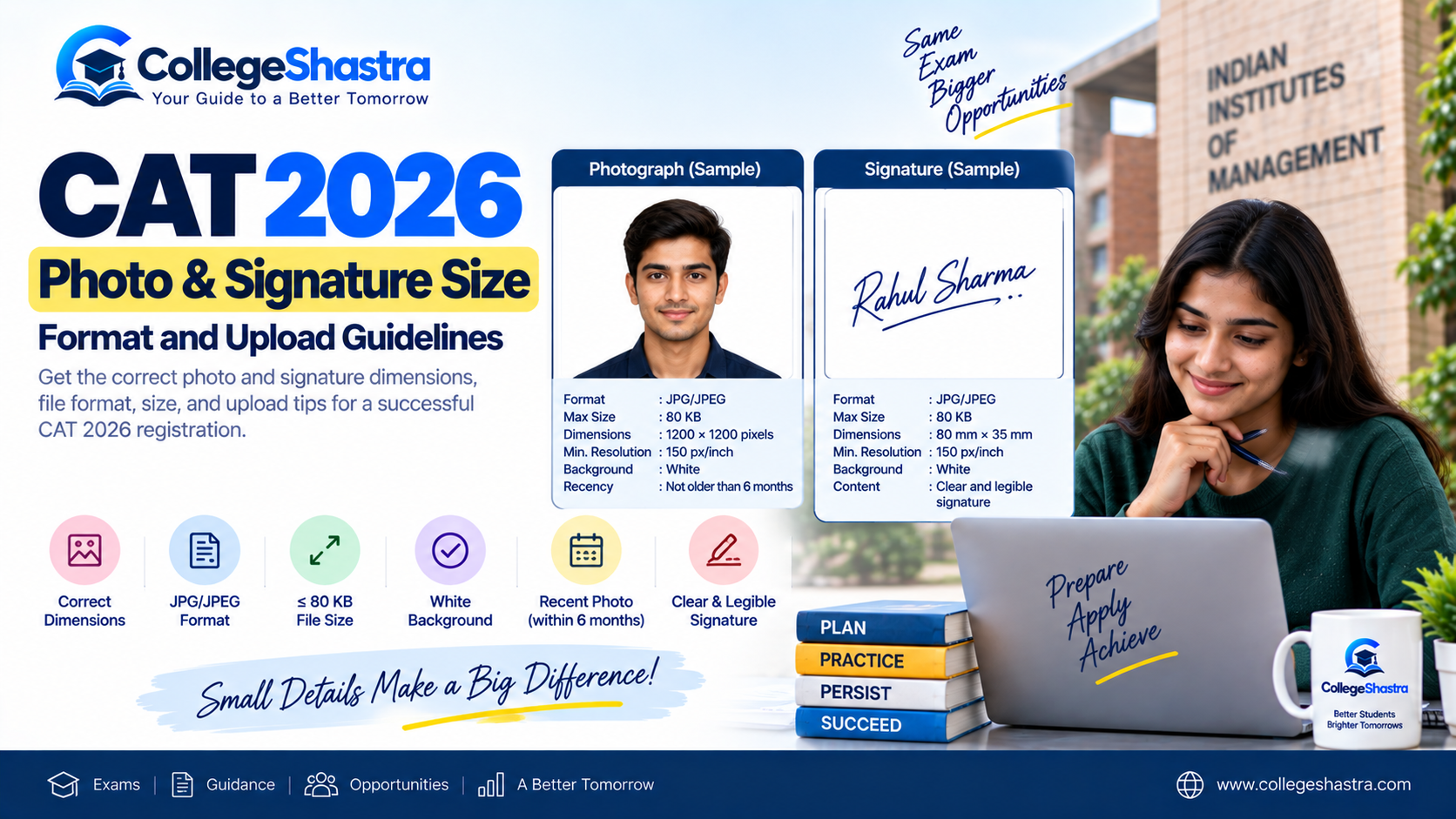
Candidates must upload a recent passport-size photograph and scanned signature.
CAT 2026 Photo and Signature Requirements
| Document | Requirement |
|---|---|
| Photograph format | JPG/JPEG |
| Photograph size | Maximum 80 KB |
| Photograph dimensions | Within 1200 × 1200 pixels |
| Photograph background | White |
| Photograph age | Not more than 6 months old |
| Minimum image resolution | 150 px/inch |
| Signature format | JPG/JPEG |
| Signature size | Maximum 80 KB |
| Signature dimensions | 80 mm × 35 mm |
| Minimum signature resolution | 150 px/inch |
The CAT 2026 Registration Guide also asks candidates to keep sufficient printed copies of the same photograph uploaded in the application, because it will be required with the admit card on the examination day. CAT 2026 Registration Guide – Document Specifications
Step 5: Enter Academic Details
The Academics section includes:
- Class 10/SSC
- Class 12/HSC or diploma
- Bachelor’s degree
- Master’s degree, if applicable
- Professional qualification, if applicable
Class 10 Details
Enter the information exactly according to your Class 10 mark sheet.
For calculating the percentage, the CAT guide says the marks of all subjects appearing on the mark sheet/grade sheet should be considered, irrespective of the board’s method.
The aggregate percentage can be entered up to two decimal places.
Class 12 or Diploma Details
Choose the appropriate course type:
- 12th/Equivalent; or
- Diploma
Again, the total marks of all subjects appearing in the mark sheet are considered while calculating the aggregate.
Bachelor’s Degree Details
Select your qualifying degree and provide:
- Degree name
- University/institution
- Completion status
- Year/semester details
- Aggregate marks/CGPA
Final-year students should provide the academic information available up to the completed semesters/years.
If you have more than one bachelor’s degree, the current CAT form allows details of another bachelor’s degree to be added.
How to Convert CGPA to Percentage for CAT Form
Use the conversion method prescribed by your university/institution.
If the institution has no official CGPA-to-percentage conversion method, the CAT guide states that percentage should be calculated as:
CGPA ÷ Maximum possible CGPA × 100
Do not use an arbitrary online conversion formula if your university has an official method.
Step 6: Enter Work Experience
Candidates with work experience must enter qualifying experience as on July 31, 2026.
The CAT 2026 guide specifically states that only:
full-time work experience after graduation
should be entered.
Do not count:
- Internship
- Part-time work
- Project work
- Articleship
- Work undertaken before graduation
If there was a break in your employment, enter the applicable break in days. If there was no break, enter 0.
This section should be completed accurately because individual IIMs may use work experience during their admission process.
Step 7: Select IIM Programmes
The Programmes section allows candidates to select the management programmes they want to apply for at participating IIMs.
Candidates can:
- select individual programmes; or
- use the Select All option.
For applicable programmes, candidates must also select an interview city from the choices provided.
Before selecting a specialised programme, check that you meet its individual eligibility requirements. CAT eligibility alone does not automatically make a candidate eligible for every IIM programme.
Candidates pay the CAT registration fee only once irrespective of the number of institutes/programmes applied for through CAT.
Step 8: Select Five CAT 2026 Test Cities
Candidates can choose five different test cities in order of preference.
Important points:
- All five preferences must be different.
- The same city cannot be selected more than once.
- One of the preferred cities will be allotted subject to availability.
- If none of the five choices can be allotted in a rare case, a nearby city may be assigned.
The official CAT advertisement also confirms the five-city preference system.
Do not select test cities randomly. Choose cities you can realistically travel to if allotted.
Step 9: Preview the CAT Application Form
This is one of the most important steps.
Before paying the fee, use the Preview option and check:
- Name and date of birth
- Category
- Academic percentages
- Graduation details
- Work experience
- Programme selections
- Interview-city selections
- Test-city preferences
- Photograph
- Signature
- Category certificate
The CAT 2026 form requires candidates to confirm that they have previewed the application and verified that the displayed information is correct.
The registration guide warns that after payment and final submission, candidates cannot edit the submitted application through the normal form interface.
Therefore, do not rush this step.
Step 10: Pay CAT 2026 Application Fee
The CAT 2026 registration fee is:
| Category | Application Fee |
|---|---|
| General/EWS/NC-OBC | ₹2,700 |
| SC/ST/PwBD | ₹1,350 |
The fee has to be paid only once regardless of the number of IIM programmes selected.
CAT registration fees are non-refundable.
Candidates should complete the payment well before the September 15 deadline rather than waiting until the final hours.
Step 11: Submit and Download CAT 2026 Application
After successful payment and submission:
- a confirmation email/SMS should be generated;
- the application becomes available in read-only form;
- candidates can access the Download Application tab; and
- the completed CAT application can be downloaded for future reference.
Save a copy of:
- submitted CAT application;
- payment confirmation;
- transaction details.
These may be useful if there is a later registration or payment issue.
Documents and Information to Keep Ready Before Filling CAT Form
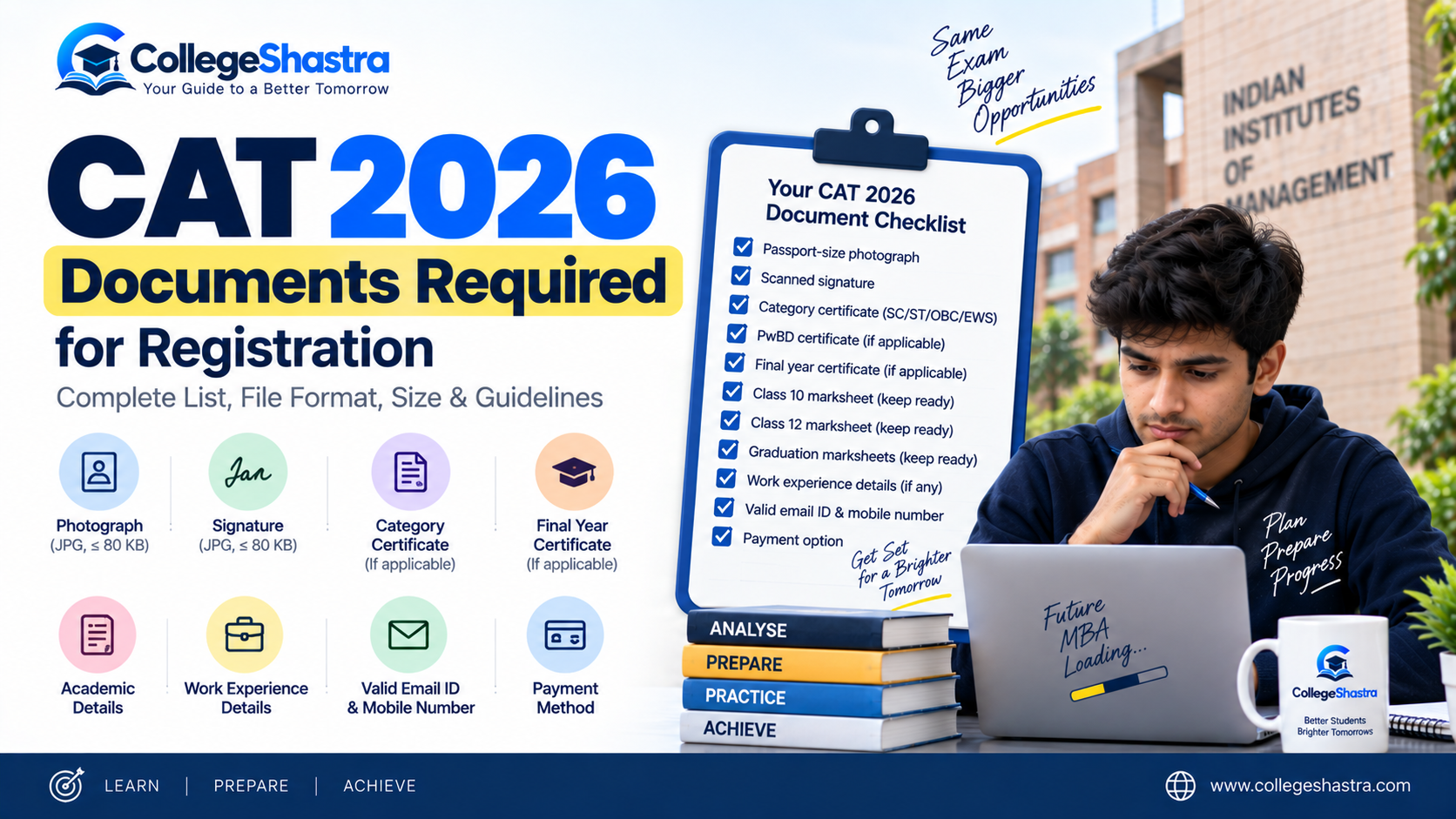
Keep the following ready before starting:
- Class 10 details/mark sheet
- Class 12 or diploma details
- Graduation marks/details
- Master’s/professional qualification details, if applicable
- Full-time post-graduation work-experience information, if applicable
- Recent passport-size photograph
- Scanned signature
- EWS/NC-OBC/SC/ST certificate, if applicable
- PwBD certificate, if applicable
- Valid mobile number
- Valid email address
- Online payment facility
Having these ready makes it easier to complete the form without entering incorrect information.
Common Mistakes to Avoid While Filling CAT 2026 Form
Avoid these mistakes:
- Entering a name different from the Class 10 certificate
- Using an email/mobile number you may lose access to
- Selecting the wrong category
- Calculating academic percentages incorrectly
- Counting internships as work experience
- Uploading an old or incorrect photograph
- Selecting IIM programmes without checking eligibility
- Choosing impractical test cities
- Skipping the application preview
- Waiting until the final hours to make payment
The most consequential mistake is submitting incorrect information because CAT and individual IIMs can verify eligibility and supporting documents later in the admission process.
Can You Fill the CAT 2026 Form in Multiple Sessions?
Yes. Candidates do not need to complete the entire application in one sitting. You can save completed sections, logout and login again later before final submission. Use Save & Next after completing each section.
Once payment is made and the form is finally submitted, however, the submitted application becomes read-only according to the current CAT 2026 Registration Guide.
What If CAT Payment Is Successful but Application Confirmation Is Not Received?
Registered candidates can use the Grievance Portal available inside the CAT candidate login for issues related to:
- registration;
- application;
- payment processing;
- document upload; or
- missing confirmation.
The CAT 2026 Registration Guide asks candidates to allow at least two working days for a response to a grievance ticket.
Candidates can also contact the registration helpdesk at 1-800-210-0175, Monday to Saturday from 9 AM to 6 PM, excluding national holidays.
Keep your User ID and payment transaction number available when raising a payment-related issue.
What Happens After Filling the CAT 2026 Application Form?
After registration closes, candidates should monitor the official CAT website for subsequent notices.
The next confirmed major event is the CAT 2026 admit card.
Admit cards are scheduled to be available from:
November 4 to November 29, 2026
CAT 2026 will be conducted on:
November 29, 2026
Do not rely on predicted correction-window dates until an official CAT notice confirms the facility and the fields that can be edited.
FAQs
What if I do not receive my CAT 2026 User ID or password?
First check the registered email inbox and spam folder. Candidates can also use the Forgot User ID/Password option on the Registered Candidate login page. The CAT guide states that the credentials will be sent to the registered email address.
Can I enter internship experience in the CAT 2026 form?
No. The current CAT 2026 Registration Guide states that part-time work, projects, internships, articleship and pre-graduation experience should not be entered as qualifying CAT work experience. Only full-time experience after graduation should be reported.

3 thoughts on “How to Fill CAT 2026 Application Form: Step-by-Step Registration Guide”